


































Why Sparrow Wallet?
Sparrow is widely considered the most advanced and transparent Bitcoin wallet available. Unlike simple mobile wallets, Sparrow gives you full control over UTXO management, allowing you to select exactly which coins to spend and how.
It integrates the Samourai Whirlpool mixing service directly into the desktop client, allowing you to anonymize your funds without needing a separate application.
Setup & Privacy Guide
1 Step 1: Installation & Connection
After downloading from sparrowwallet.com, you will see the Welcome screen. This step is critical for privacy.
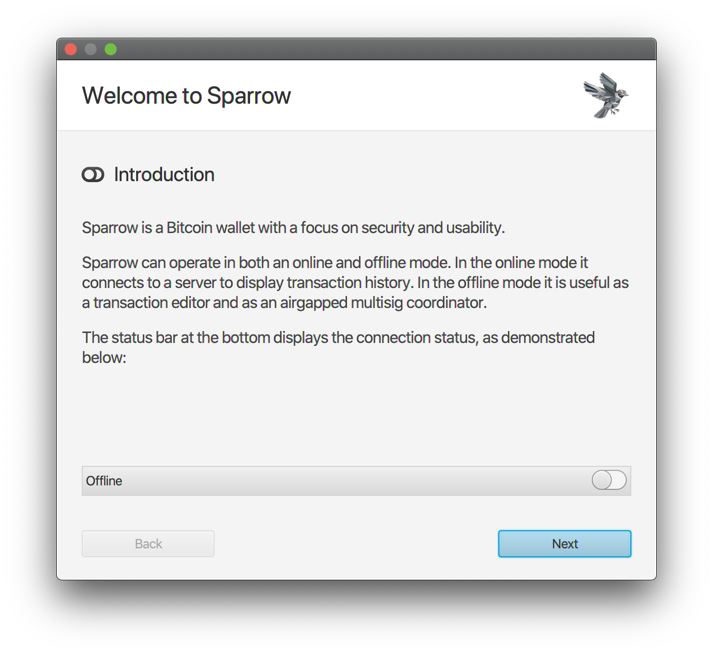
Choosing a Server
- Public Server: (Yellow Toggle) Easy to start, but the server knows your IP and balance. Not private.
- Private Electrum (Tor): (Green Toggle) The best option if you don't run a node. Connects via Tor to hide your IP.
- Bitcoin Core: (Blue Toggle) Connects to your own local node. Maximum sovereignty.
2 Step 2: Whirlpool CoinJoin (Mixing)
Sparrow has built-in CoinJoin. This breaks the link between your past history and your future spending.
- Go to the UTXOs tab or select specific coins.
- Click Mix Selected.
- Select a Pool (e.g., 0.001 BTC, 0.01 BTC, etc.).
- Premix: Your coins are broken down into standard denominations.
- Postmix: Once mixed, these coins are "clean" and should not be merged with non-mixed coins.
3 Step 3: Spending Privately (Stonewall)
Sending a normal transaction can sometimes reveal that you are the owner of the change output. Sparrow prevents this using "Stonewall" (Fake CoinJoin).
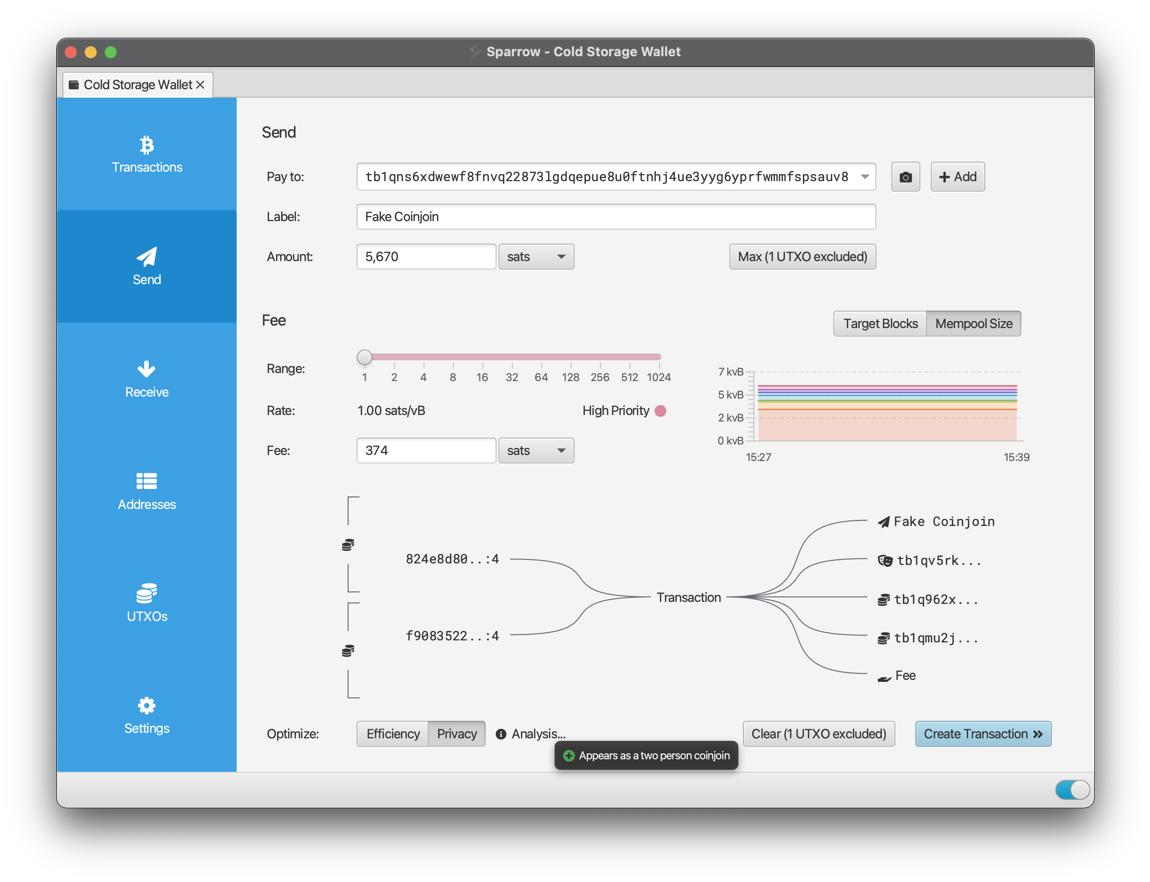
When creating a transaction, toggle the Privacy switch. Sparrow will create a transaction that looks like two people created it (A CoinJoin), confusing blockchain analysis software. This disguises which output is the payment and which is the change.
4 Step 4: PayNyms (BIP47)
PayNyms allow you to share a single public ID that generates unique addresses for every transaction, preventing address reuse.
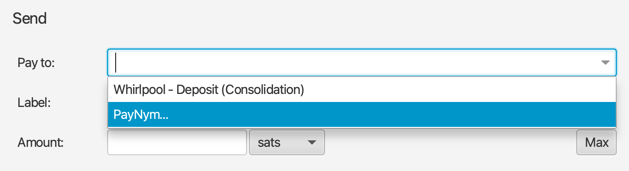
1. In the "Pay To" field, select PayNym.
2. Enter the recipient's PayNym code (e.g., `+whitebull202`).
3. Sparrow will secretly derive a fresh address known only to you and the recipient.
4. This prevents observers from seeing how much money you are sending to that person over time.
Where to Spend Mixed BTC
Once your Bitcoin has been run through Whirlpool or spent via Stonewall, it is safe to use on markets.



Additional Resources
Documentation used in this guide:
Conclusion
You have now configured Sparrow Wallet for maximum privacy. By using Whirlpool for mixing and Stonewall for spending, you are using the same tools as advanced privacy advocates. Always remember to check your server connection status in the bottom right corner (Look for the Green toggle).
Back to Tutorials






